A song sheet comes home
Your child brings a song from nursery or school. Hear it first, then sing it together.
 sun.apps
 Tunora · Free
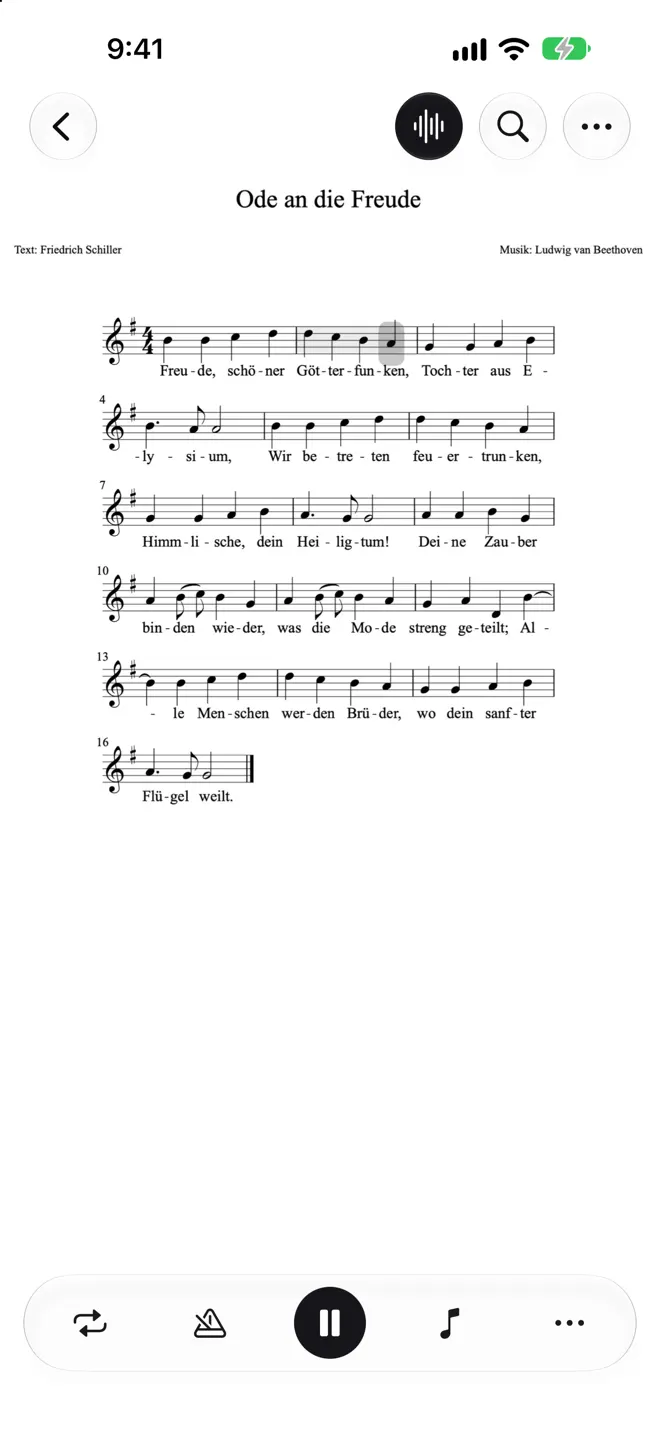
Take a photo of a printed score. Tunora reads every note on your phone and plays it on the piano, lighting up each note as it sounds.

 Scan to open the App Store
iPhone / iPad · iOS 18 or later · Free download
SCORE READING · TRY IT
Tunora read this page. What you hear are the notes it found. Press Play and watch each note light up, or tap any note to start from there.
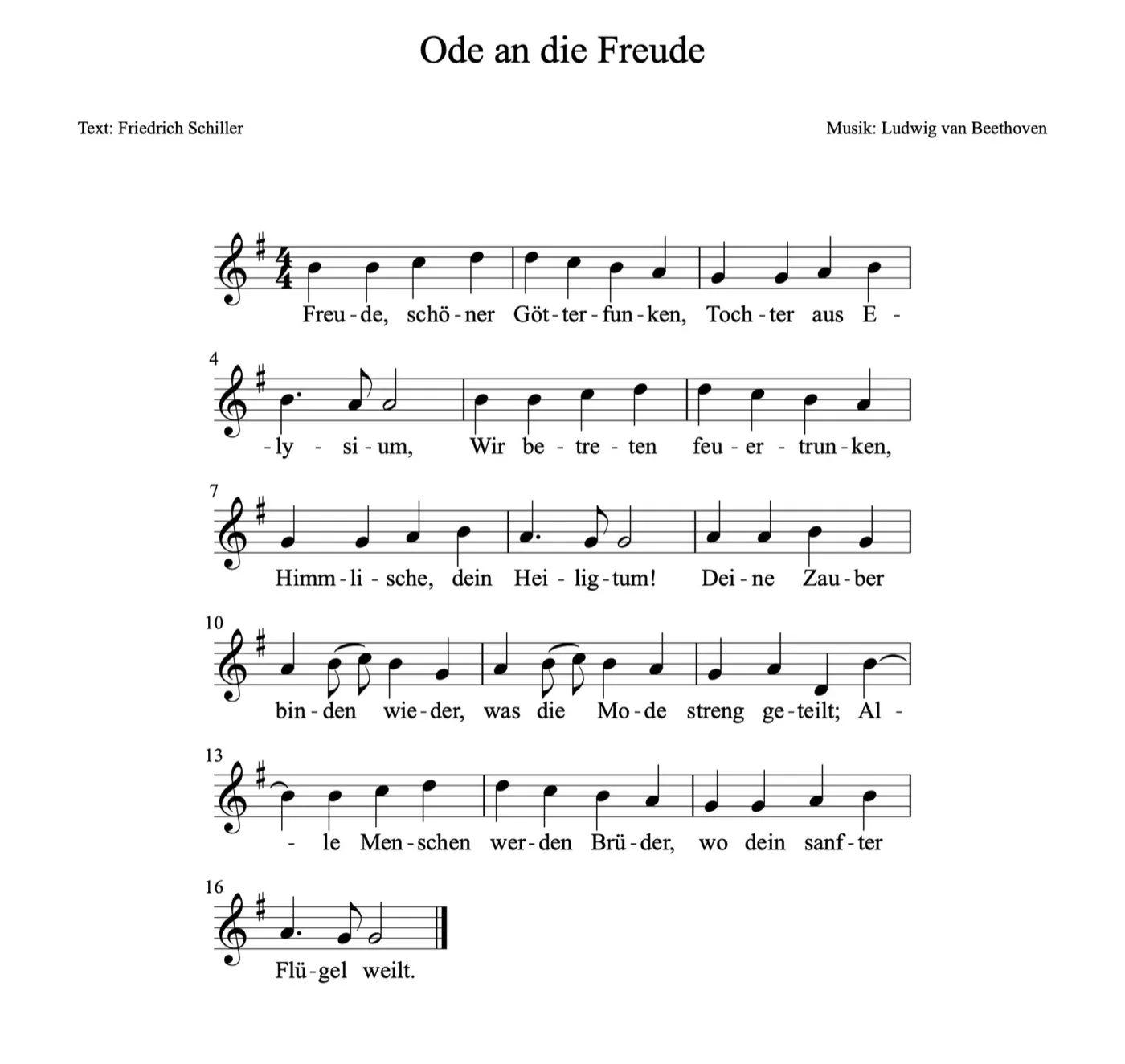
Beethoven, Ode to Joy, public domain. Piano: YDP Grand Piano by FreePats, CC BY 3.0.
Point the camera at the score, or import a PDF or image from your phone.
The notes are read on your phone in a few seconds, with no internet needed.
The melody plays on the piano, each note lighting up as it sounds. Slow it down and listen again.
MUSIC · VOCAL REMOVER
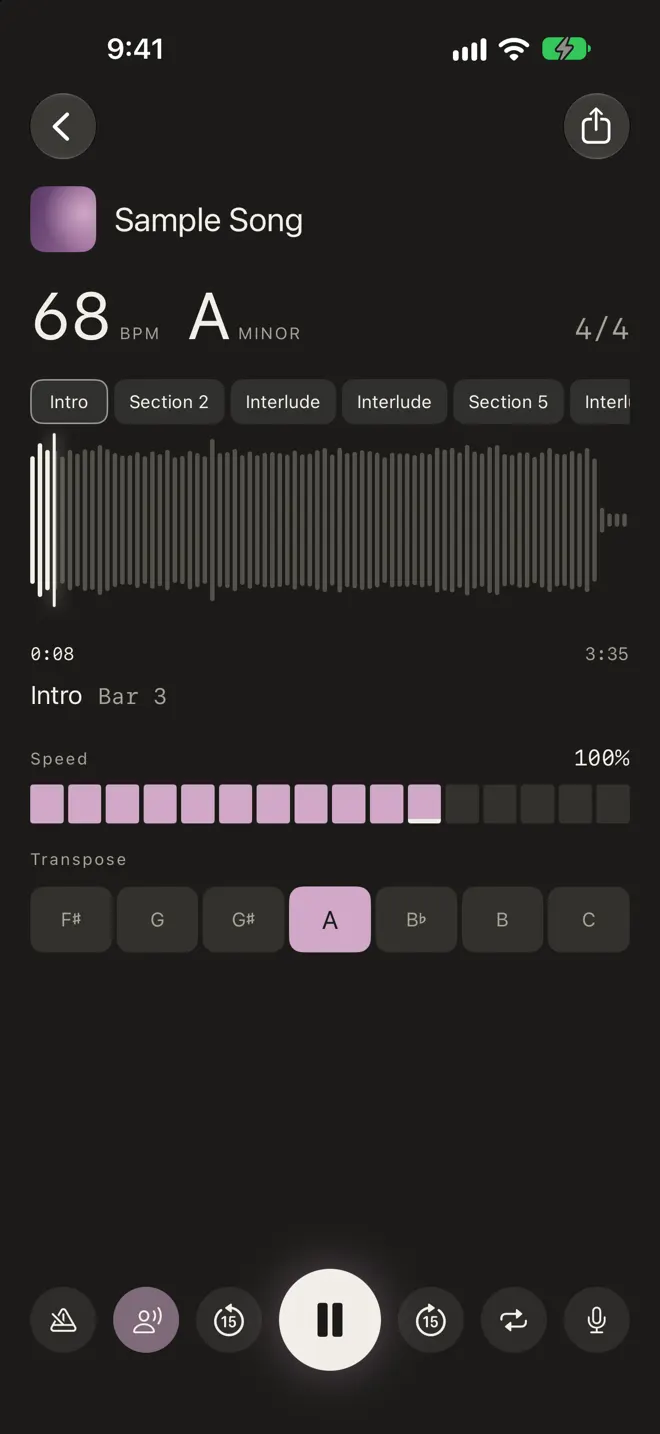
Import a song or a video, and Tunora separates the voice from the backing track on your phone, then finds the tempo, key, time signature and sections. Here is a part it separated: drag the slider.
Found automatically: 68 BPM · A minor · 4/4
Excerpt of Stay (for this Moment) by unreal_dm featuring Madam Snowflake, CC BY 3.0; vocals separated by Tunora.
Drag it like a volume control: backing track only, a little voice to lead you, or the original.
Each song is analysed on import and split into sections. Tap a section to loop it.
Change the speed from 50% to 125% without changing the pitch, and move the key up or down by up to 3 semitones.
The metronome follows the song's beat; you can record yourself over the track and export the adjusted audio.
PRACTICE
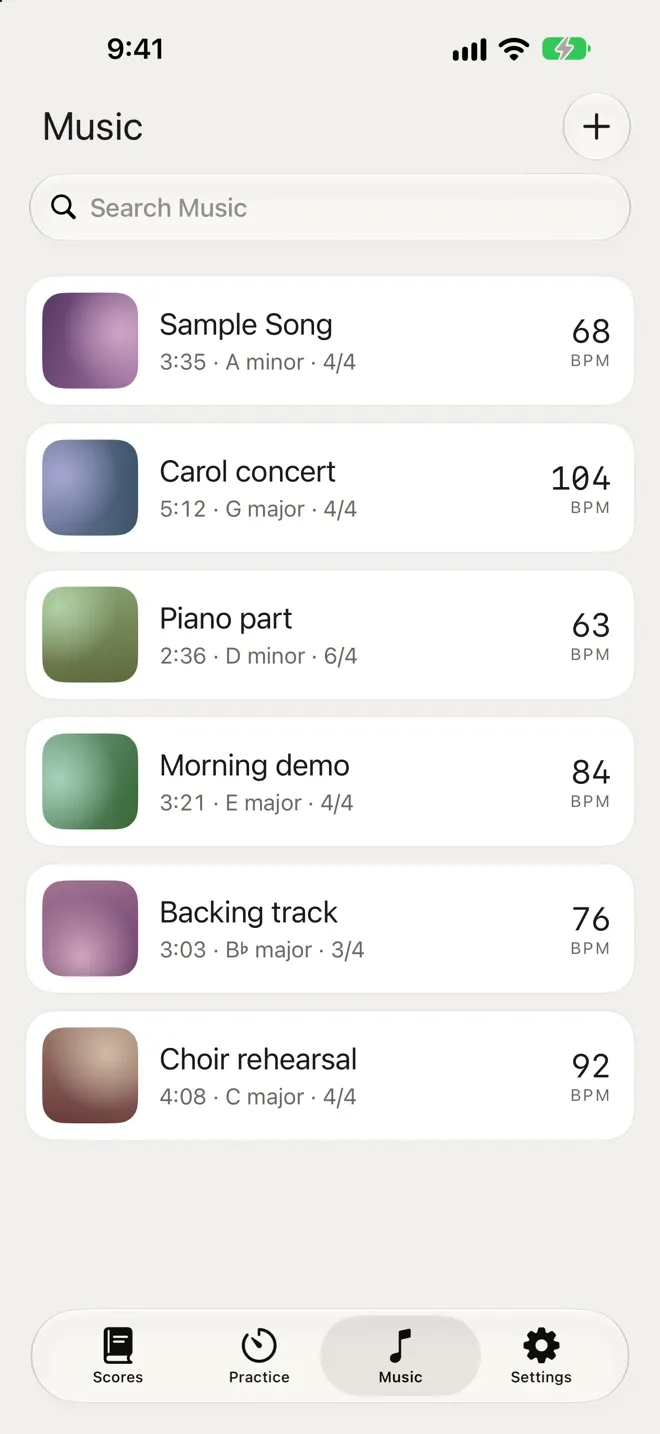
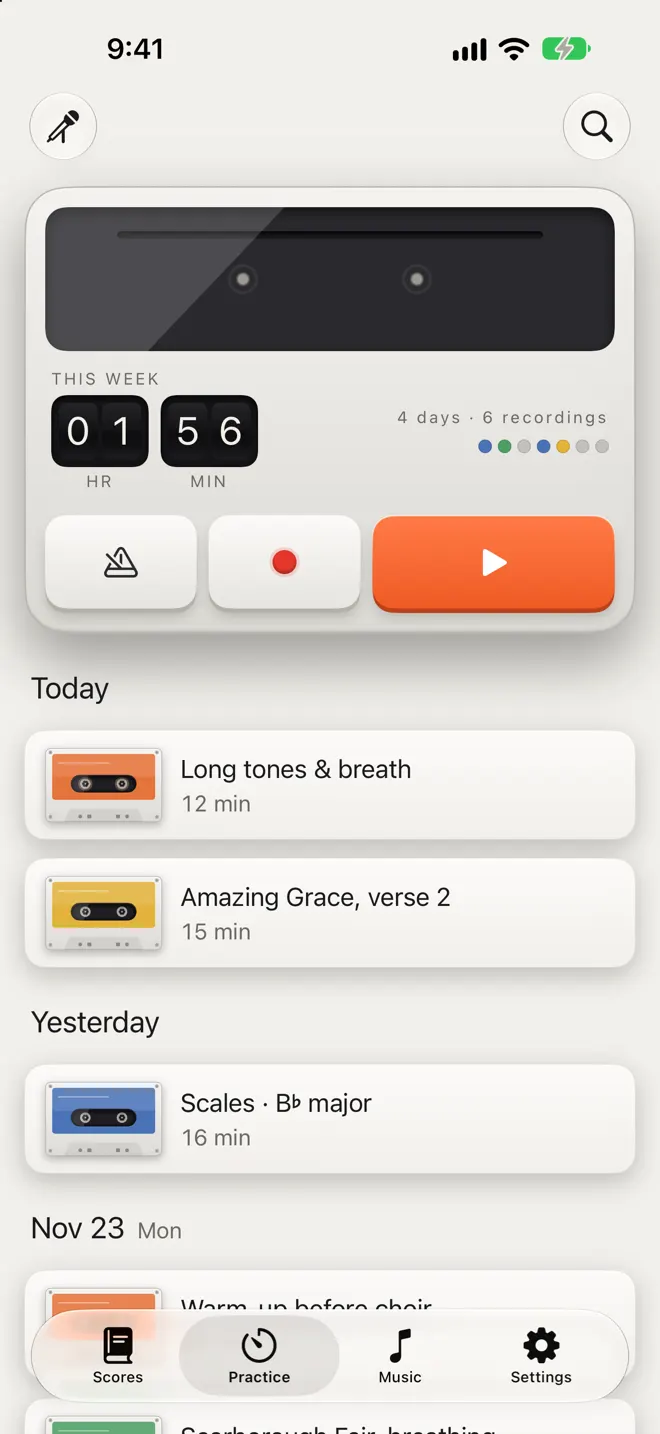
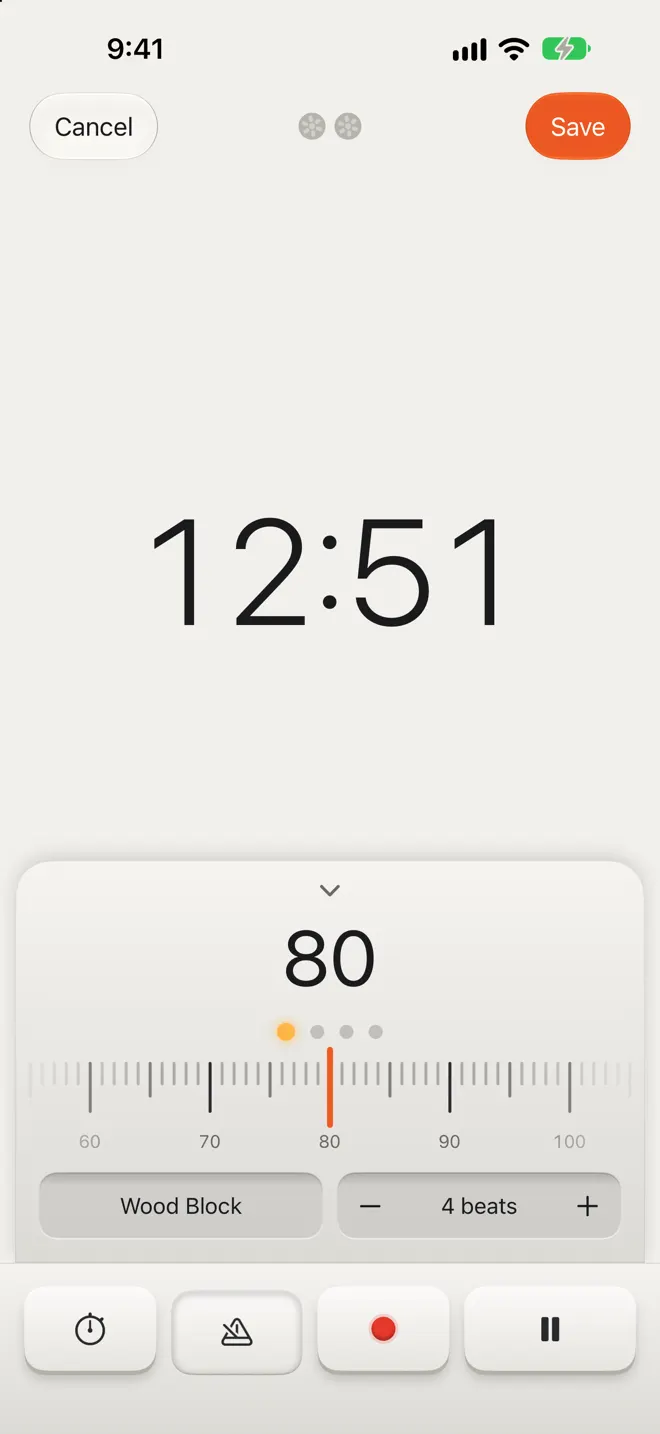
Practise with your own voice or instrument: timer, metronome and recorder in one place. Each session is saved as a tape, so you see when and how long you practised.
Start and it counts, or set a time and get a reminder when it's up.
Drag the ruler to set the tempo, pick beats and sound, and accent the first beat.
Record several takes in one session, then listen, rename and share them.
Six warm-up patterns with the piano, a semitone higher each time; adjust the range and speed.
COLLECTIONS
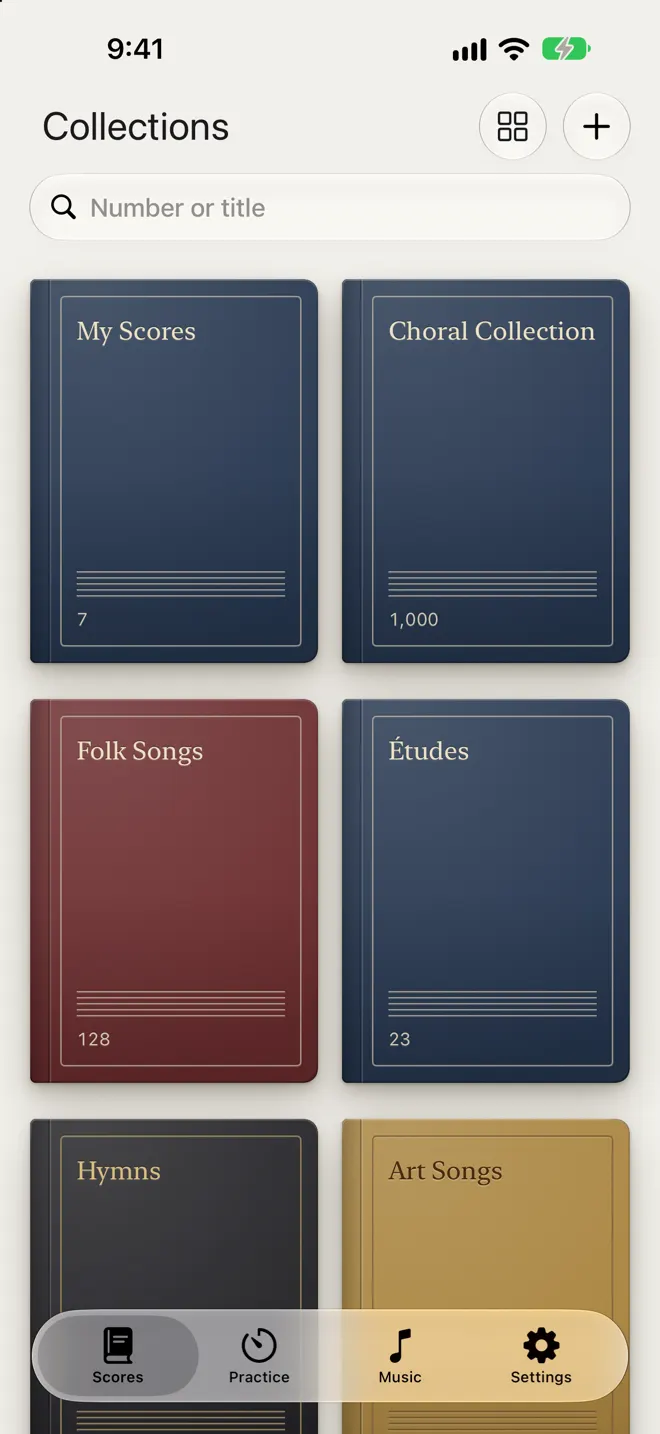
Arrange scores like songbooks on a shelf: each collection has its own cover, and scores are numbered in order, so a number takes you straight there.
When someone calls out a number at rehearsal, type it to open that song, or search by title.
Circle, highlight and write reminders with your finger or Apple Pencil, saved page by page.
Pack a collection into one file for others, with or without your markings.
Turn it on to keep collections in step on your iPhone and iPad, stored in your own iCloud.
Your child brings a song from nursery or school. Hear it first, then sing it together.
Turn the vocals down, slow it a little, and learn it section by section.
Every score in its book, found by number, and your own part heard before rehearsal.
Warm-ups, metronome and recordings, with every minute and take kept.
Score reading, vocal separation and analysis happen on your phone, offline, and nothing is uploaded. Tunora collects no personal data; with iCloud sync on, your collections live in your own iCloud.
Yes. Take a photo, and Tunora reads the notes and plays them on the piano. Follow the note that lights up; you don't need to read music.
Printed staff notation: books, printouts, PDFs and images. Lay the page flat, square and in good light for the best result. Any wrong note can be corrected in the app.
Not yet. Handwritten music, tabs and lyric sheets can't be played, but you can still keep them in a collection, mark them up and practise with them.
No. Tunora plays the melody, not the words. Follow the notes as they light up and sing the words yourself.
Audio files on your phone, or the sound of a video. Separation runs on your phone and usually takes under a minute per song.
No. Score reading, vocal separation, playback and analysis all run on your phone, offline.
Yes. It runs on iPhone and iPad with iOS 18 or later.
In a collection, choose Share Collection. The whole collection is packed into one file that opens in Tunora.
Email dev.sunapp24@gmail.com.
Scan to open the App Store